



Using checklists
Create a checklist
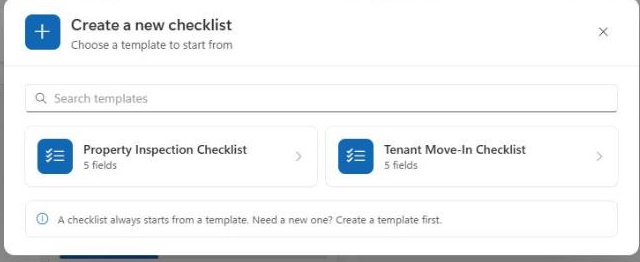
A checklist is always based on a template. If you don't have a template yet, create one first — see Template wizard.
Choose a template
Click «New checklist» in the toolbar. A dialog opens with all available templates; use the search field to filter them. Select the template you want:
Fill in the title and properties
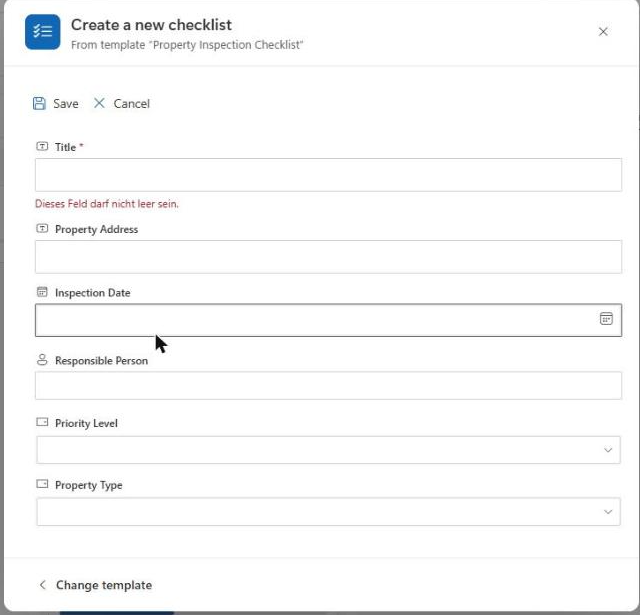
After choosing a template, the form for the new checklist opens: a title field plus every metadata field enabled on the template. Use «Change template» in the bottom left to go back to template selection at any time. Click «Create» to finish:
The newly created checklist automatically inherits all tasks from the template and opens directly in the detail view.
Note
If a template is changed afterwards, it does not affect checklists that were already created — only newly created checklists pick up the updated fields and tasks.