



Personalization & setup
Setup & update
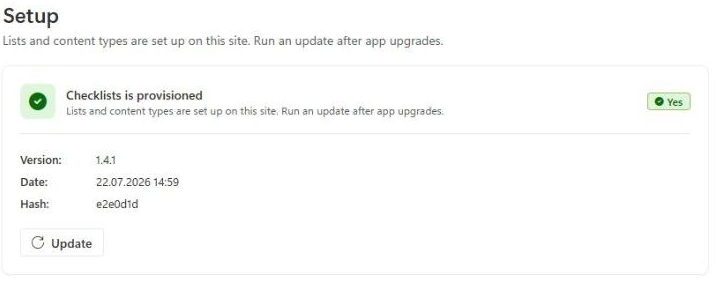
Under Settings → «Setup», site owners can find the provisioning and version status of this checklist management.
Provisioning
When a checklist management is created (see Add a checklist to Teams), Checklists automatically sets up the required SharePoint list including all fields. The «Checklists is provisioned» status, along with the version, creation date, and commit hash of the currently installed app version, is shown here.
Running an update
After upgrading the Checklists app to a newer version, it's possible that new internal fields are required that don't exist yet on existing sites (e.g. the «sfclDisplayConfig» field used for Card appearance). In that case, click «Update» to automatically add any missing fields to the existing list.
Note
Run the update on every site where a checklist management is set up. Existing data remains unchanged.
Warning
Customers with an existing installation from before the redesign should check, after running the update, whether the card display settings under Card appearance or in the template wizard are still set the way they want, and reconfigure them if needed.