



Checklists
Checklists
SoftForge Checklists helps you track recurring workflows — for example onboarding and offboarding, audits, project kick-offs, or property management processes — in a simple, clear way. Every checklist is based on a template; the template defines the tasks as well as the metadata fields (properties) captured on checklists created from it.
Checklists has been comprehensively redesigned: a modern Fluent-style interface, three views (table, cards, board), a guided template wizard with smart paste, and personal settings for every user. The following pages describe the current feature set in detail.
Architecture
Checklists runs as an SPFx web part entirely within your own Microsoft 365 tenant — on SharePoint Online or on-premises, integrated into Microsoft Teams. No data ever leaves your environment.
Each team or channel gets its own checklist management (a SharePoint list). It contains:
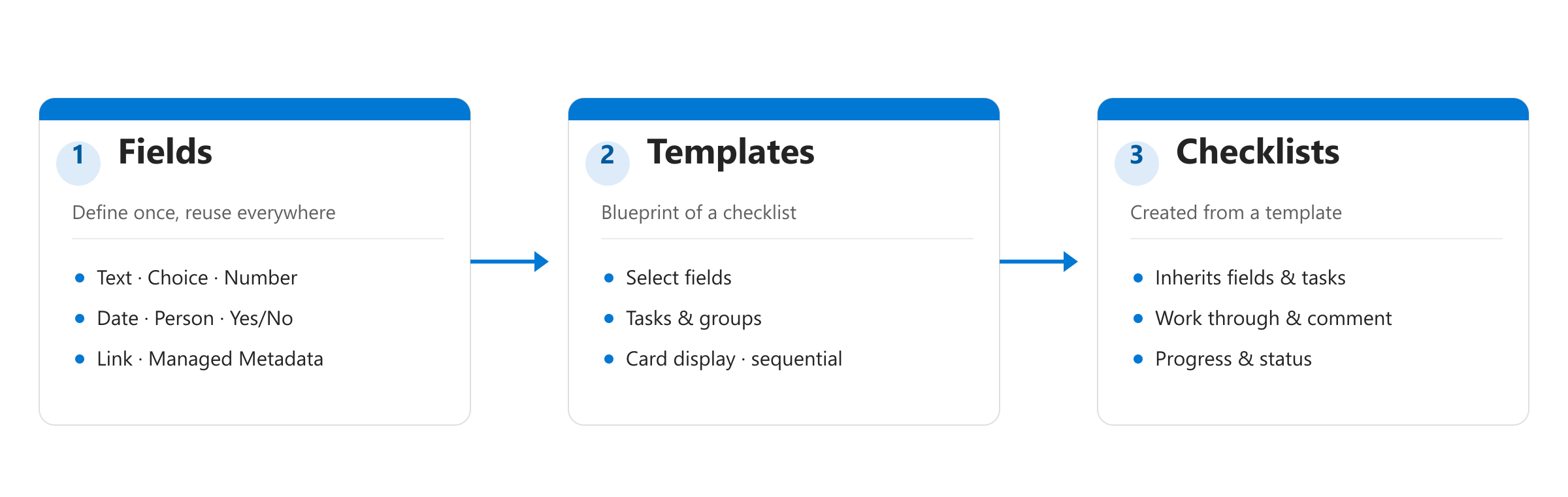
- Custom fields — the metadata columns that can be captured on checklists (e.g. property, due date, responsible person). Define a field once and reuse it across any number of templates.
- Templates — define which fields and which tasks a checklist created from them receives, and whether the tasks must be completed sequentially.
- Checklists — concrete instances of a template with their own progress, due dates, and task status.
What's new in the redesign?
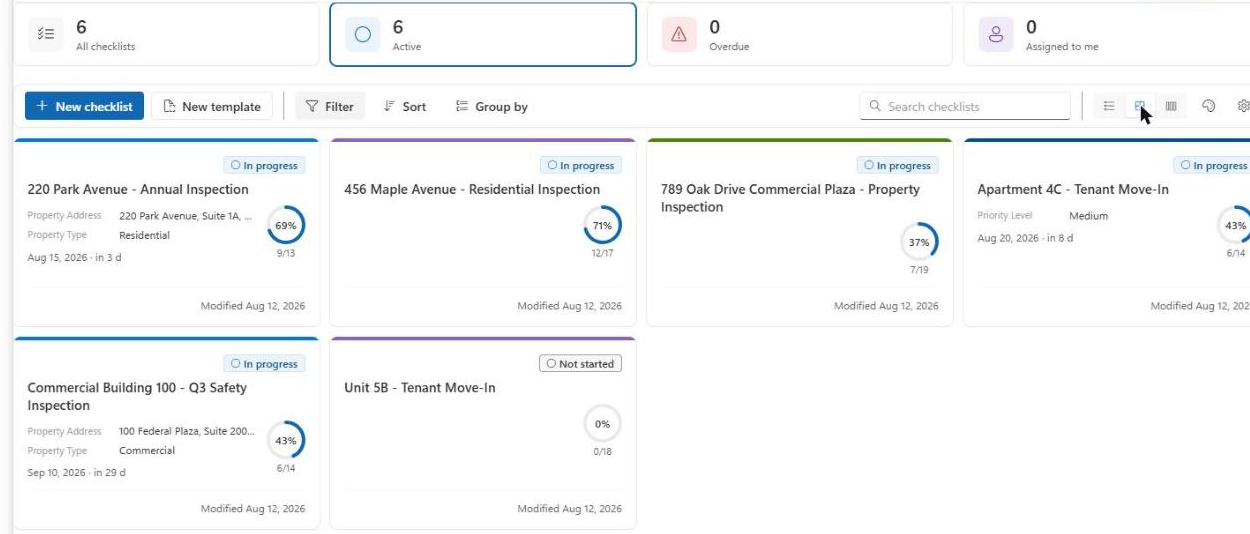
- A list overview with clickable statistics tiles (All / Active / Overdue / Assigned to me) and the table, cards, and board views — see List view
- A detail view in three selectable layouts with a progress ring and tasks as a table, cards, or Kanban board (incl. drag & drop) — see Detail view & tasks
- Sequential checklists, where tasks unlock one after another — see Detail view & tasks
- A four-step template wizard including smart paste for bulk-importing tasks — also used for editing existing templates — see Template wizard
- Custom metadata fields, including Managed Metadata (taxonomy), that can be reused across multiple templates — see Custom fields
- Configurable card display per template as well as globally — see Card appearance
- Personal settings per user (accent color, density, preferred views) — see Personalization
Still available: XLSX export, comments per task, notifying ("poking") the assigned person, completing/reactivating checklists, and multi-language support (German/English).